Four steps, on repeat
You pick what to recreate, say what you want, and press Start. Then it works through four steps and asks you in plain words when a decision is yours.
Study
Looks at the original: pages at every width, layout, colours, fonts, how it runs.
Build
Claude Code builds a new project in the language or engine you ask for.
Check
Compares your build with the original and lists what doesn't match yet.
Ready
Open it, play it, or ask for changes and it refines again.
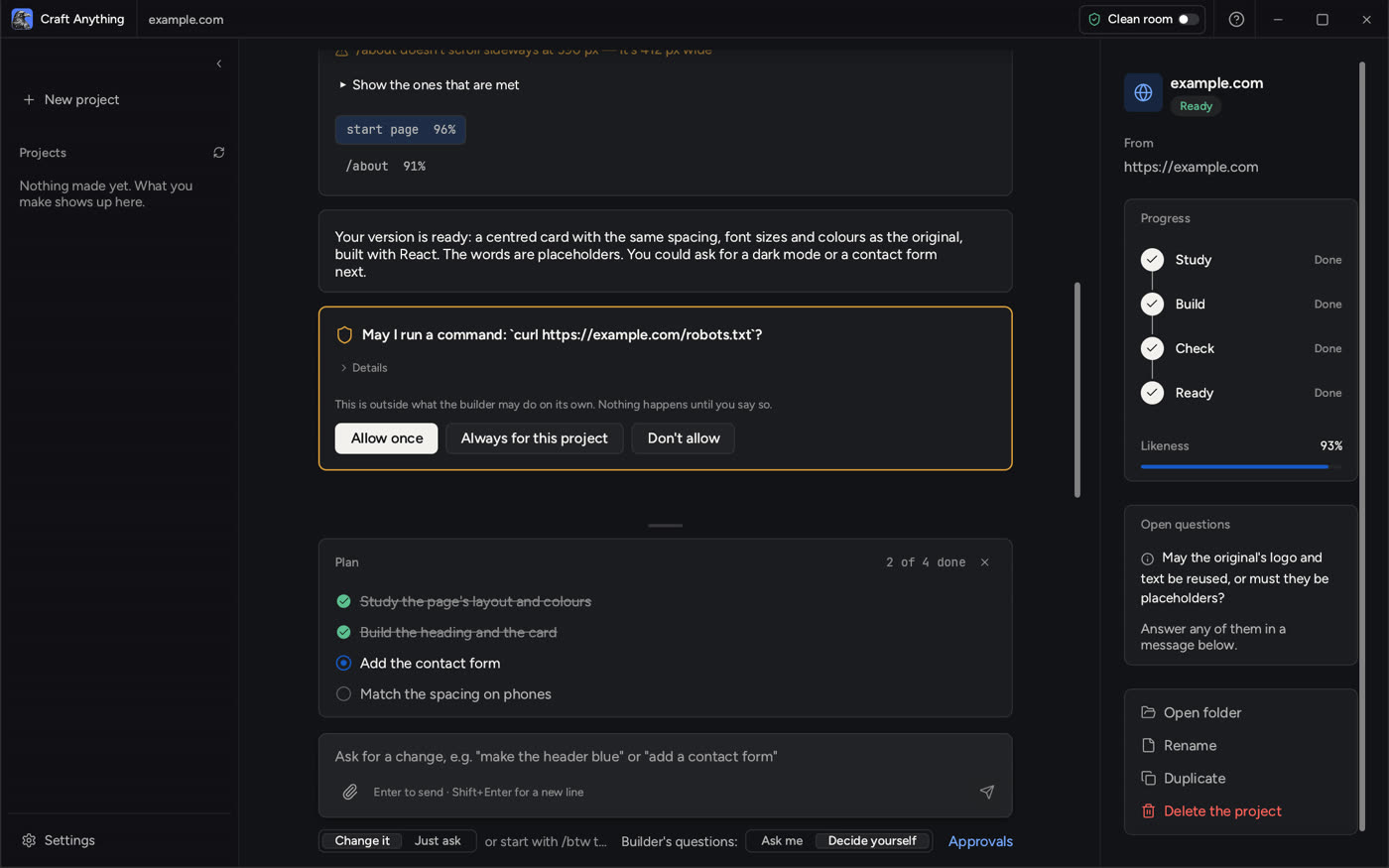
A real website project (from the official repo): each page gets a score, and the panel on the right shows overall likeness.
Clean room
- Nothing inside the original is read: no code, files or page source.
- Works from what a visitor sees: screenshots, visible text, layout, colours, fonts, spacing.
- Your version gets its own art.
Deep
- Uses every tool: reads a program's code and files, and a website's JavaScript.
- More accurate, but meant for your own private use.
- Switch it in the title bar or Settings.
Great for
Rebuilding your own old site in a new stack, learning how a layout is put together, prototyping a game idea fast.
Not for
Cloning someone else's site, app or game to publish. It won't get past logins or DRM, and copying others' logos or content is a legal risk.
Windows setup, step by step
Mac and Linux builds are on the same releases page. The steps after installing are the same.
Install Claude Code and sign in
Craft Anything uses your own Claude Code to build, so you need it installed and signed in with a paid Claude plan. Open PowerShell and run Anthropic's installer:
Then type claude and sign in once. Already have it? Check with claude --version.
claude program, which uses your own sign-in.Download Craft Anything
- Open the latest release on GitHub.
- Under Assets, download
craft-anything-<version>-windows-x64.msi(most PCs). Snapdragon/ARM laptops: thearm64one. - Run the installer. Windows builds are code-signed.
github.com/storytold/craft-anything. Copies with similar names (like "Clone ANY App UI in Seconds") are not the official project.Start your first project
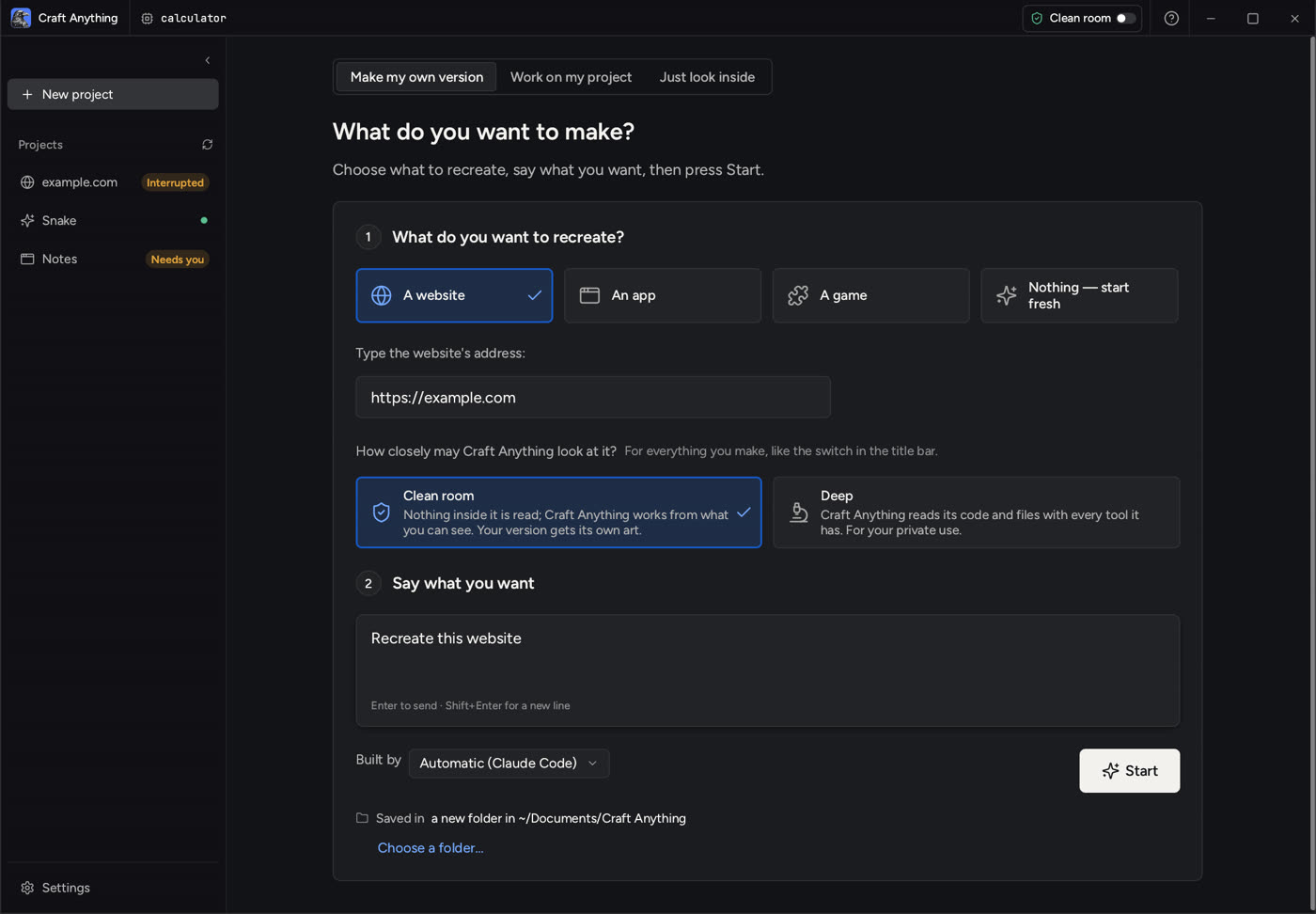
- Open Craft Anything and click + New project, then Make my own version.
- Pick A website, An app or A game, and type the address (or pick the file).
- Leave it on Clean room.
- Say what you want, for example "Recreate this website" or "A snake game in Rust".
- Check Built by: Automatic (Claude Code), then press Start.
Answer its questions
When the builder wants to do something outside its rules (like fetch a page or run a command), a card appears: Allow once, Always for this project or Don't allow. Nothing happens until you choose.
Open the result, or ask for changes
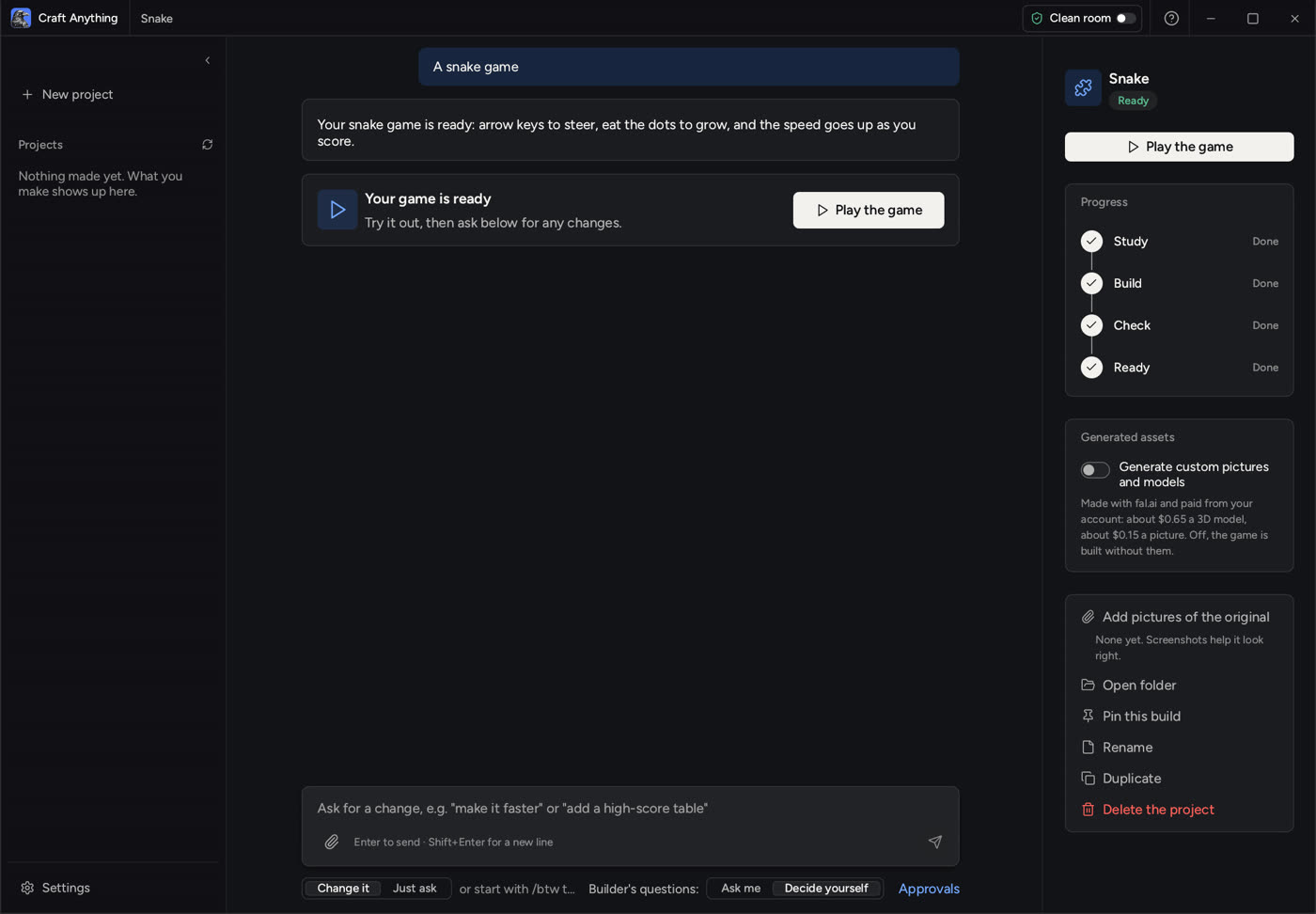
When all four steps say Done, open the site or press Play the game. Want changes? Type them in the box at the bottom, e.g. "make the header blue" or "add a high-score table".
Projects are saved in Documents\Craft Anything. Your build is in the project's app folder.
What's true behind the hype
| Claim you'll see | What's actually behind it |
|---|---|
| "Open source" True | The code is public on GitHub under MIT or Apache-2.0. |
| "It checks against the original" True | Websites are compared at three screen widths with a score for each page. Games and apps get their own checks, which are still being finished. |
| "Free" Half true | The app is free. Building runs on your own Claude Code plan, so it uses your Claude usage. Generated pictures/3D models are paid (optional). |
| "Copy ANY app" No | It never bypasses logins, DRM or anti-cheat, and it's told not to copy logos, photos or text unless you own them or have permission. |
| "Ready to use" Early | It's in early alpha. Websites with Claude Code work today; other builders and some checks are partly there. |
FAQ
Do I need to know how to code?
No for the basic flow: pick, describe, Start, then ask for changes in plain words. It helps to understand what you're allowing when an approval card appears.
Can I use other AIs instead of Claude Code?
Claude Code is supported first. GitHub Copilot, Grok and some others can be connected too, but the makers say several of them haven't been fully tested live yet.
Is it legal to rebuild a website?
Rebuilding your own site, or studying a design to learn, is fine. Publishing a copy of someone else's site, app or game (their design, logos, text or art) can break copyright and trademark law. Use it on software you own or are allowed to examine.
What's the difference with REA (Reverse Engineer Anything)?
They're separate projects by different teams. REA focuses on looking inside software to explain how a feature works. Craft Anything adds the full loop: study, build your own version, check it, and refine.
Does it work on Mac?
Yes. The releases page has a signed macOS app (Apple silicon and Intel), plus Linux and FreeBSD builds.